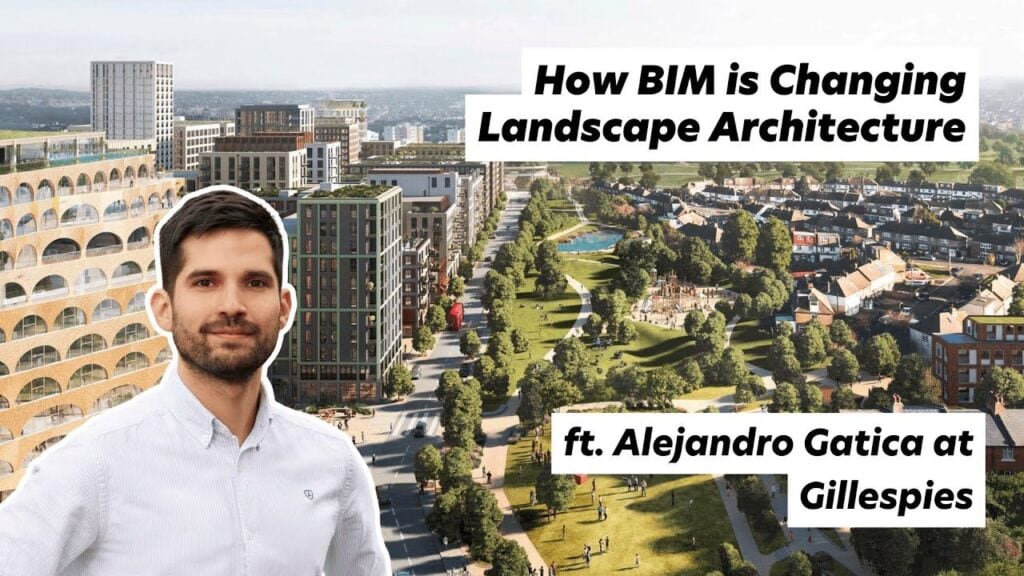
Description
In this Architecture Social CPD, Stephen Drew talks to Alejandro Gatica, Principal BIM Manager at landscape architecture practice Gillespies, about how Building Information Modelling works beyond the building line. The conversation runs to roughly 55 minutes and covers Revit workflows for landscape, levels and topography, planting data, visualisation and career routes into digital design roles.
Who this is for
Landscape architects, urban designers and masterplanners adopting BIM for the first time; architects and architectural assistants who coordinate with landscape teams in Revit; BIM managers and coordinators extending standards beyond buildings; and students or early career professionals considering a technology focused route into practice.
Learning outcomes
- You will be able to describe how a landscape BIM model is typically built up, from a 2D CAD design to a data rich 3D Revit model.
- You will be able to explain why levels, slopes and topography are the main technical challenges in landscape BIM, and how toposolids in Revit 2024 changed the workflow.
- You will be able to identify the data that landscape models carry, including planting schedules, NBS specifications and Uniclass classification.
- You will be able to compare visualisation routes from a Revit model, including Lumion, Twinmotion and Enscape, and when each is appropriate.
- You will be able to outline how plugins and visual programming tools such as Dynamo and Grasshopper fill the gaps Revit leaves for landscape work.
- You will be able to set out a practical self learning route into a BIM specialist role, including certification and portfolio steps.
Starting flat: how a landscape model is built
Alejandro explains that most landscape projects still begin in CAD. The landscape designer issues a 2D file, and the BIM team rebuilds it as a 3D Revit model, plugging in the information that needs to be extracted later: paving build ups, NBS specifications, Uniclass data and planting information. Projects deliberately start flat, with levels introduced progressively, because the levels are where the complexity lives.
Levels and topography: the central challenge
A building in Revit has gravity on its side: storey levels are automatic and changes ripple through the model. A landscape is a continuous surface, so steps, slopes, mounds and rain gardens are bespoke. Before Revit 2024 Alejandro combined floors and topographies, matched with Dynamo scripts, and reset everything whenever the design moved. Toposolids now combine both in one element, which he describes as a significant advance, though detailed level work remains slow in core Revit without plugins.
Planting as data
Planting is the landscape architect's core asset, and each species carries data on water demand, spacing and character. Databases from providers such as Keyscape and Artisan can be plugged into the Revit model and embedded in families, so schedules are generated directly from the model. Free planting families, including those given away by the Environment plugin team, lower the barrier to entry.
Drawing production and the workarounds
The model drives general arrangement plans, hardscape and softscape views, furniture schedules and sections with coordinated structural and architectural backgrounds. Alejandro is open about the rough edges: sloped floors triangulate and shrink hatch patterns, so his team masks them with filled regions and layered duplicate views. The payoff is automatic coordination, faster change management and the ability to check levels and drainage falls directly in the model.
Checking designs from the inside
Because the model is three dimensional and data rich, the team can walk projects in first person, with or without a headset, before anything is built. Alejandro describes catching a level error this way that an orbit view would have hidden. Quick renders through Lumion live sync or Twinmotion's direct link turn the same model into client ready visuals within minutes, replacing what used to be days of dedicated rendering work.
Projects in practice
The conversation draws on real schemes: a multi phase island development in Qatar covering streetscapes, a linear park and a canal; an award winning bus interchange in Stockport with an elevated park, modelled down to planting beds and street furniture; rooftop landscapes coordinated slab by slab with the architecture below, including the roof garden at Google's King's Cross headquarters; and regeneration projects using rain gardens to improve public space.
The software ecosystem around Revit
Most landscape practices still pair AutoCAD with SketchUp or Rhino. Alejandro prefers Rhino for complex curvilinear geometry because it talks to Revit through Grasshopper and Rhino.Inside, while SketchUp does not round trip. Dynamo remains his automation tool of choice, with plugins preferred where they make workflows accessible to colleagues who do not script.
AI: positive but clear eyed
Gillespies has tested tools such as Midjourney, ChatGPT and Runway. Alejandro's view is that the wow effect fades once editing time is counted, and the tools are not yet mature enough to replace skilled staff, but people who learn AI will outpace people who do not. He uses it daily for drafting, summarising and checking written English as a non native speaker, and points to AI rendering plugins that work directly from the Revit model as a sign of where things are heading.
Routes into a BIM specialist career
Alejandro's own route ran from architectural training in Chile, through a master's in BIM in Spain, to landscape BIM roles in Dubai and the UK. His advice: learn the tools yourself first, with YouTube as a free and serious resource, then certify to consolidate. Specialise where there is genuine unmet demand, because very few landscape architects know Revit, and the ones who do become the link between disciplines.
Key terms
BIM (Building Information Modelling): a process for creating and managing data rich 3D models shared across a project team. Toposolid: a Revit 2024 element combining floor and topography behaviour for ground modelling. Dynamo: Autodesk's visual programming tool for automating Revit. Grasshopper: Rhino's visual programming environment, usable inside Revit. Uniclass: the UK construction classification system embedded in model data. ISO 19650: the international standard for managing information across the life cycle of a built asset. Filled region: a 2D masking element used here to correct distorted hatch patterns on sloped surfaces.
Reflective prompts for your CPD record
- Where do levels, slopes or external works data currently cause coordination problems on your projects, and would a model based workflow reduce them?
- Which of the tools discussed (toposolids, Dynamo, landscape plugins, Twinmotion or Lumion) could you trial on a live project, and what would success look like?
- What gap in your team's digital capability could you personally fill in the next twelve months, and what is your first learning step?
About the guest
Alejandro Gatica is Principal BIM Manager at Gillespies, leading the implementation, coordination and delivery of BIM for landscape architecture across the practice's Manchester and Leeds studios. A qualified Part II architect from Chile, he holds a master's degree in BIM platforms and methodologies from Universidad Pablo de Olavide in Seville and is a certified Autodesk Revit Professional. His project experience includes the rooftop landscape at Google's King's Cross headquarters, Chester Zoo and Stockport Interchange.
Audio
Video
Industry
Topics
Company

People